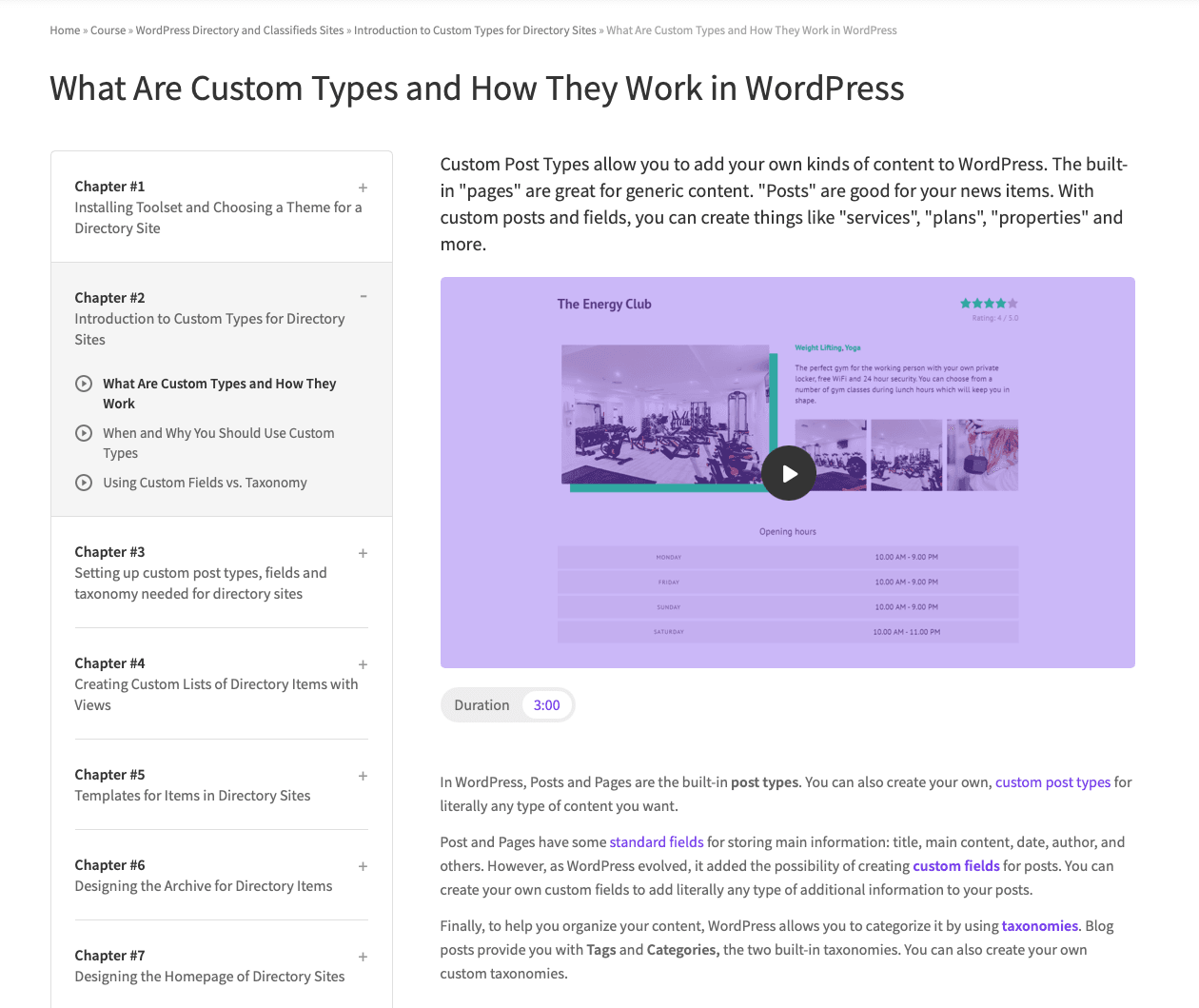
Overview
Before platforms like Udemy became the standard for structured online learning, Toolset needed its own way to educate users through step-by-step courses.
I designed and built a custom learning platform directly inside WordPress, using only the Toolset plugin and without relying on external LMS solutions.
The Problem
Toolset is a powerful product, but also complex. Users often struggled with:
- Understanding how to apply features in real projects
- Following fragmented documentation
- Connecting concepts into real-world use cases
There was no structured, guided learning experience, just documentation and tutorials.
The Goal
- Create a structured, course-based learning experience
- Help users learn by building real projects
- Keep everything inside the WordPress ecosystem
- Use Toolset itself as the foundation (dogfooding)
- Make the system scalable for future courses
My Role
- UX & UI design
- Front-end development
- WordPress integration
- Content structure definition
The Solution
Course-Based Learning Structure
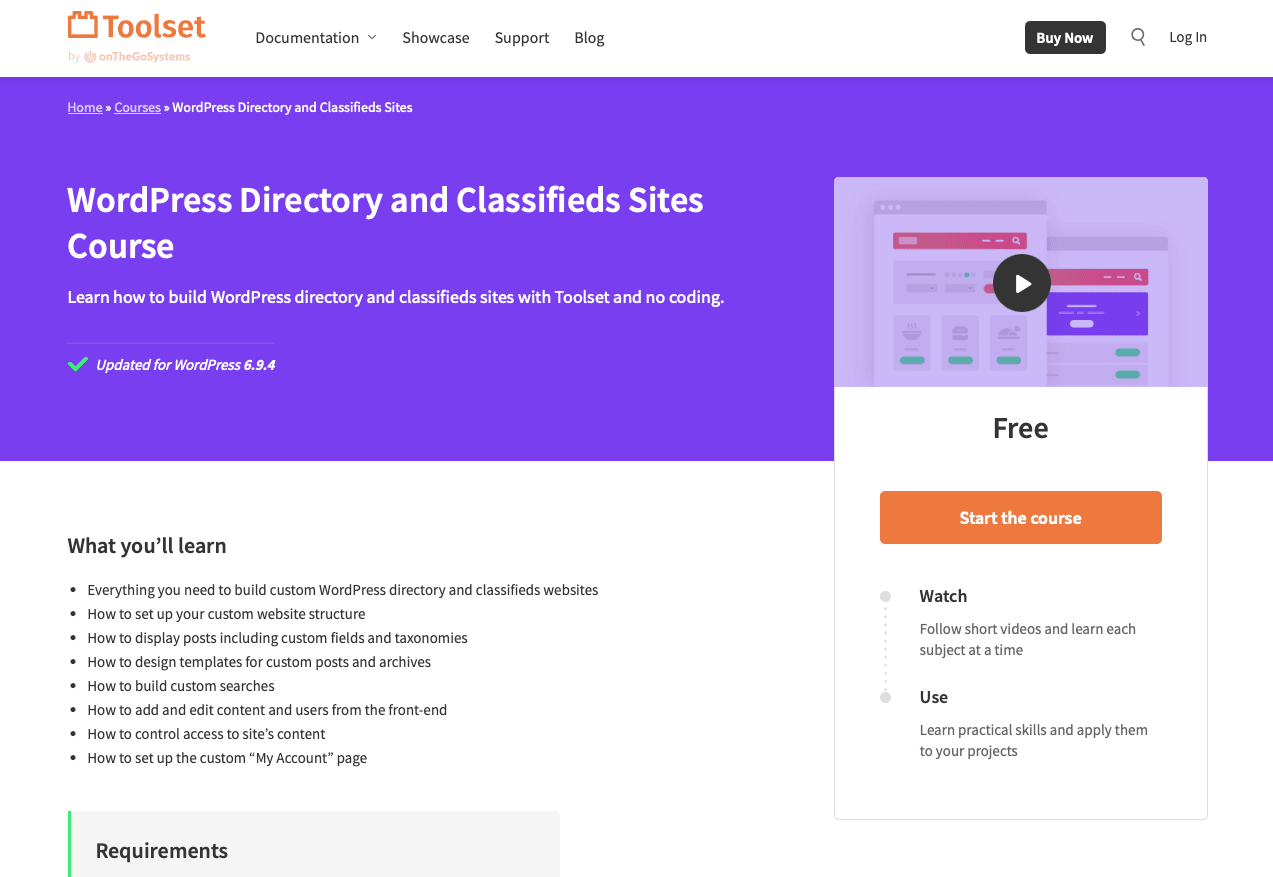
I designed a clear hierarchy:
- Courses (e.g. Real Estate Website)
- Chapters (logical sections)
- Lessons (step-by-step instructions)
This mirrored modern learning platforms while staying native to WordPress.
Learning by Doing
Each course was built around real-world projects, not abstract concepts.
Example:
- Building a real estate website from scratch
- Creating custom post types, fields, and templates
This made learning practical and directly applicable.
Fully Built with Toolset
Instead of using an LMS, everything was built using Toolset:
- Custom post types for courses, chapters, lessons
- Relationships between content
- Dynamic templates for rendering content
- Reusable layouts and components
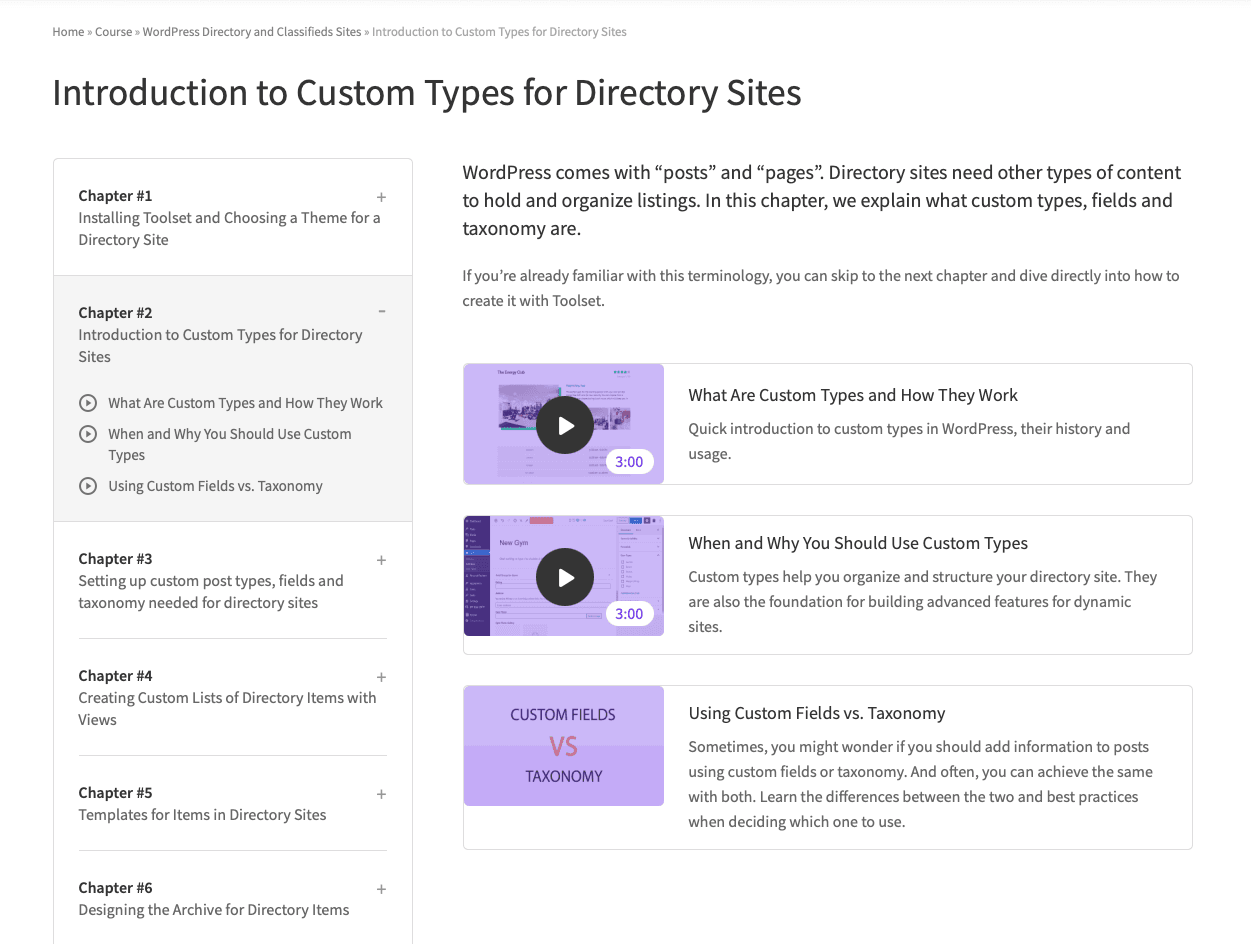
This proved Toolset’s capabilities in a real-world scenario.
Consistent UI & Navigation
The interface was designed for clarity and progression:
- Clear course overview pages
- Structured chapter navigation
- Step-by-step lesson flow
- Easy movement between lessons
Users always knew:
- Where they are
- What’s next
- What they’ve completed
Scalable Content System
The structure allowed:
- Easy addition of new courses
- Reuse of layouts and components
- Consistent experience across all content
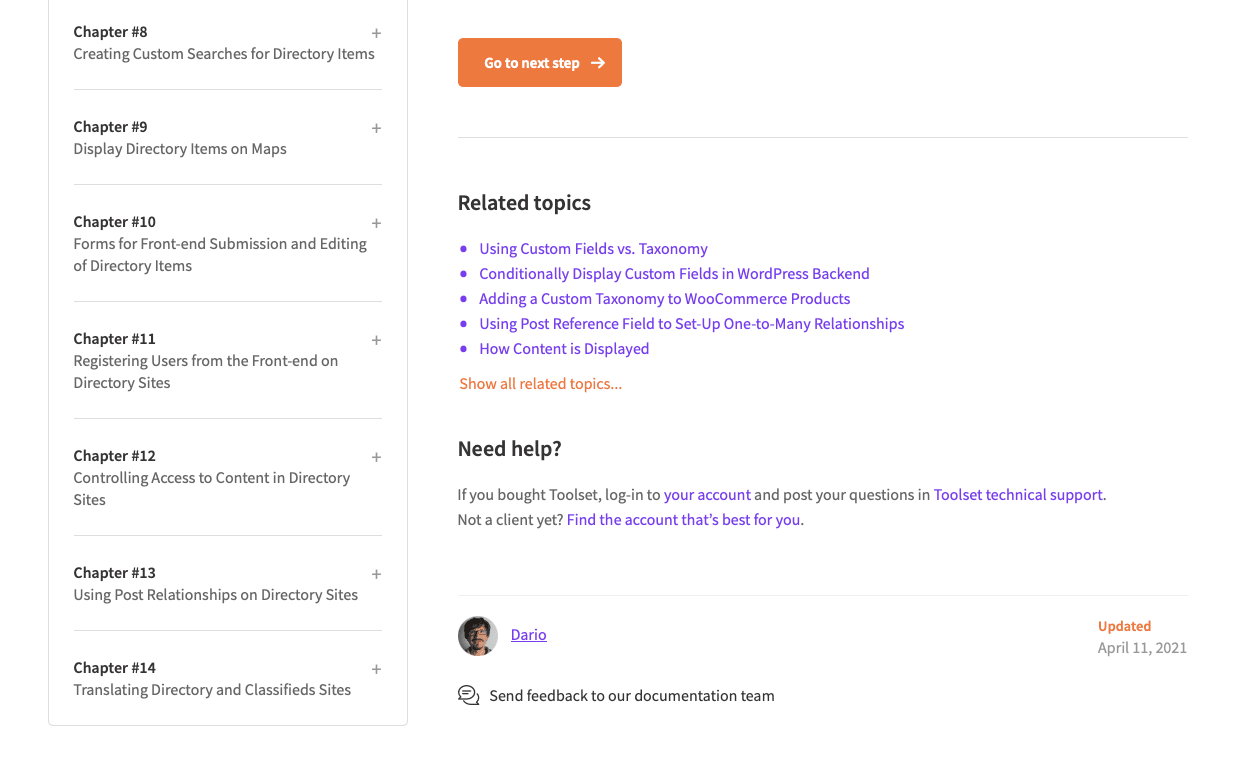
This turned a one-off project into a long-term learning platform.
Key Decisions
1. Don’t use an LMS, build with Toolset
This was both a constraint and a strategic decision to showcase the product.
2. Focus on real projects, not theory
Users learn better by building something tangible.
3. Keep structure simple but powerful
Courses → Chapters → Lessons proved flexible and scalable.
4. Design for clarity over visual complexity
Content-heavy experience required strong hierarchy and readability.