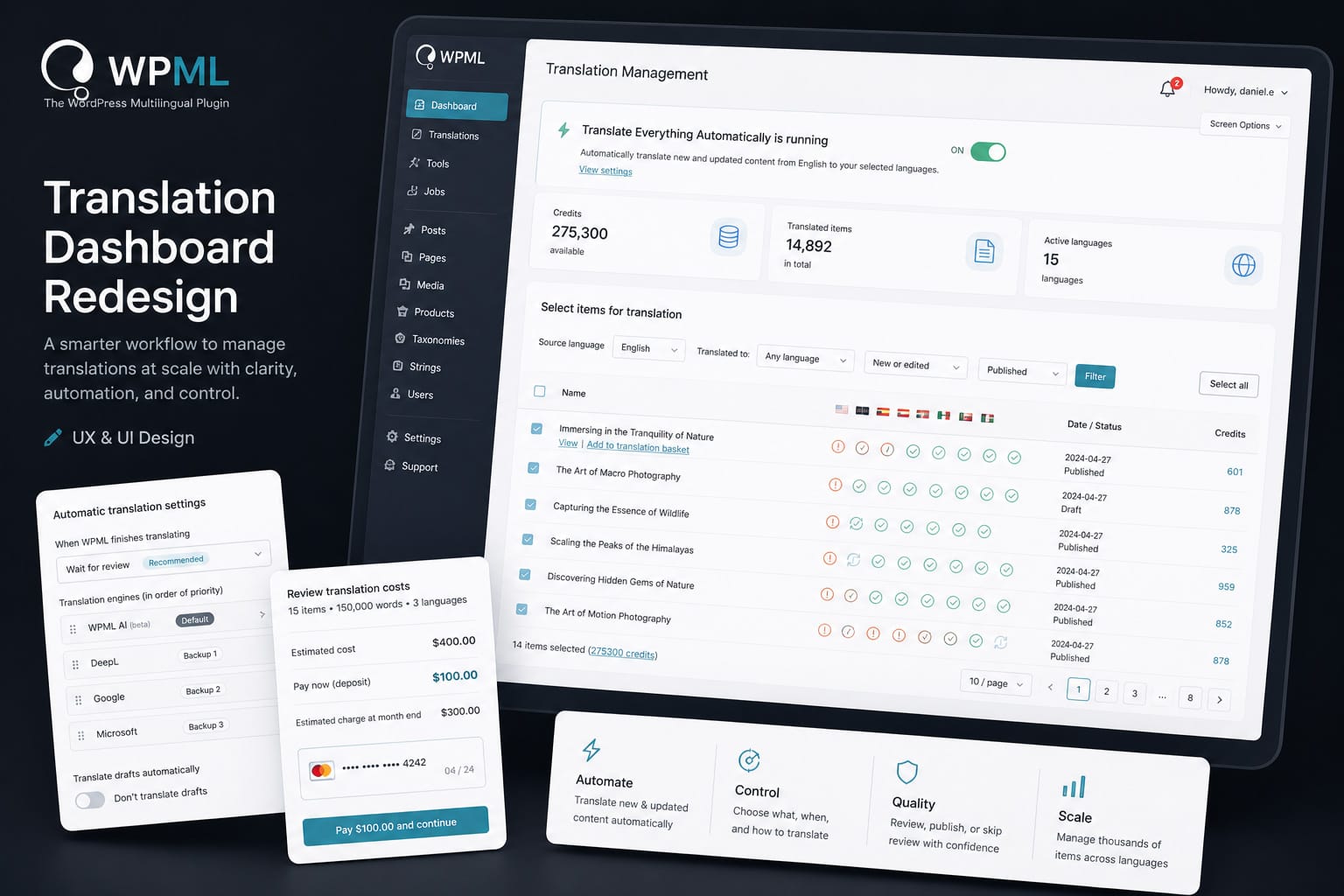
Overview
WPML powers multilingual websites at scale, often handling thousands of pages, multiple languages, and complex editorial workflows. The Translation Dashboard sits at the center of that experience.
Over time, the dashboard grew into a powerful but fragmented system. Users could translate content, manage languages, control automation, and monitor costs, but these actions were spread across different mental models and disconnected UI patterns.
The goal of this redesign was not just visual. It was about redefining how users think about translation in WPML.
My role covered UX and UI design, shaping the new workflow from structure to final interface.
The Problem
The existing experience suffered from a few key issues:
- Fragmented workflows
Selecting content, configuring translation, and reviewing costs felt like separate tasks rather than one continuous flow. - High cognitive load
Users had to understand multiple systems at once: translation status, languages, credits, and publishing behavior. - Unclear automation logic
“Translate everything automatically” was powerful, but difficult to predict and control. - Lack of scalability clarity
As content volume increased, the interface did not help users feel in control.
The Approach
Instead of iterating on existing screens, we stepped back and reframed the experience:
- Translation is not a set of tools
- It is a workflow with clear stages and decisions
The redesign focused on creating a structured, predictable journey:
- Select what needs translation
- Define how translation should behave
- Understand cost and impact
- Execute with confidence
The Solution
A unified translation flow
The biggest shift was moving from scattered actions to a single, guided flow.
- Content selection, filtering, and bulk actions are centralized
- Translation behavior is configured in context
- Costs are surfaced before committing
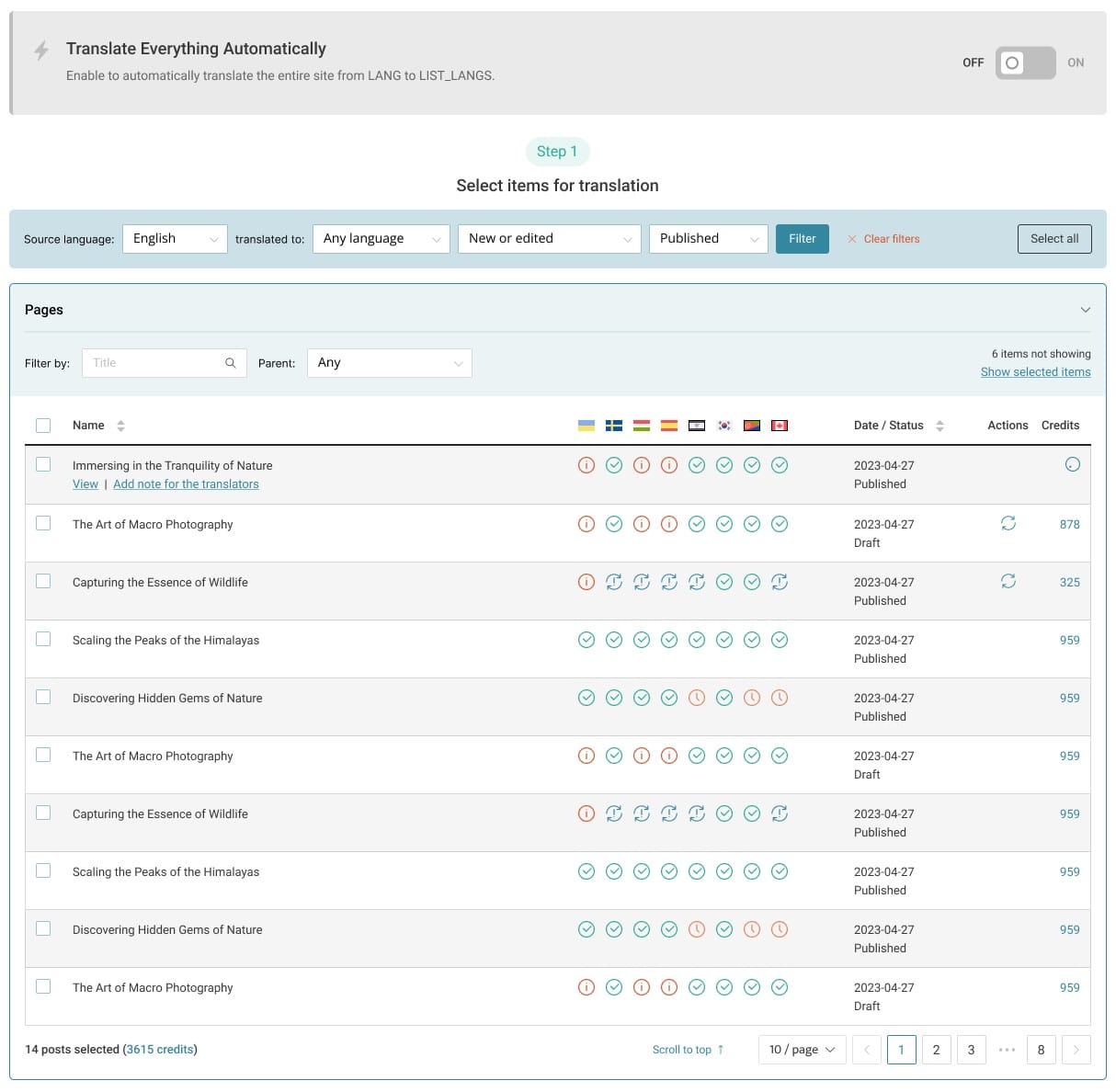
Everything happens in one continuous experience.
Smarter content selection
Users can now:
- Filter by language, status, and update state
- Select content across post types
- Clearly see translation readiness and gaps
This reduces guesswork and makes large datasets manageable.
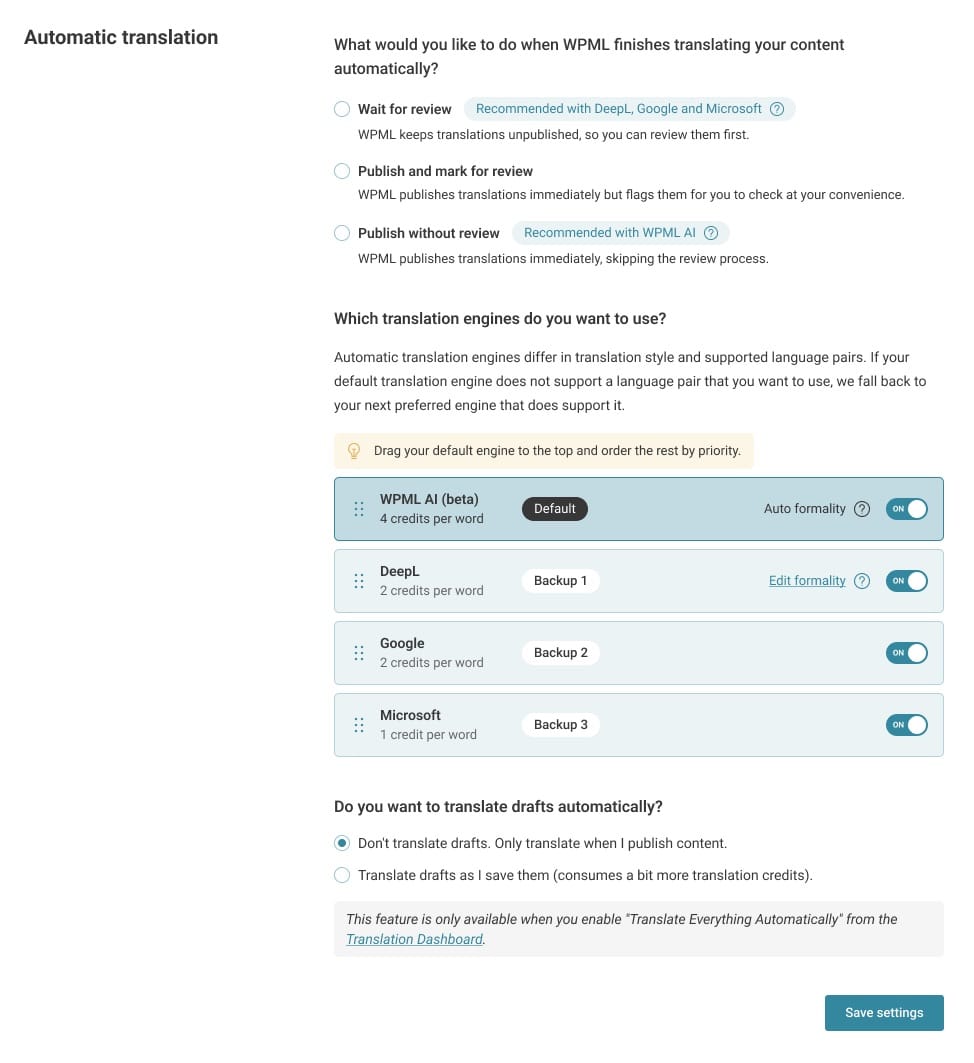
Automation with control
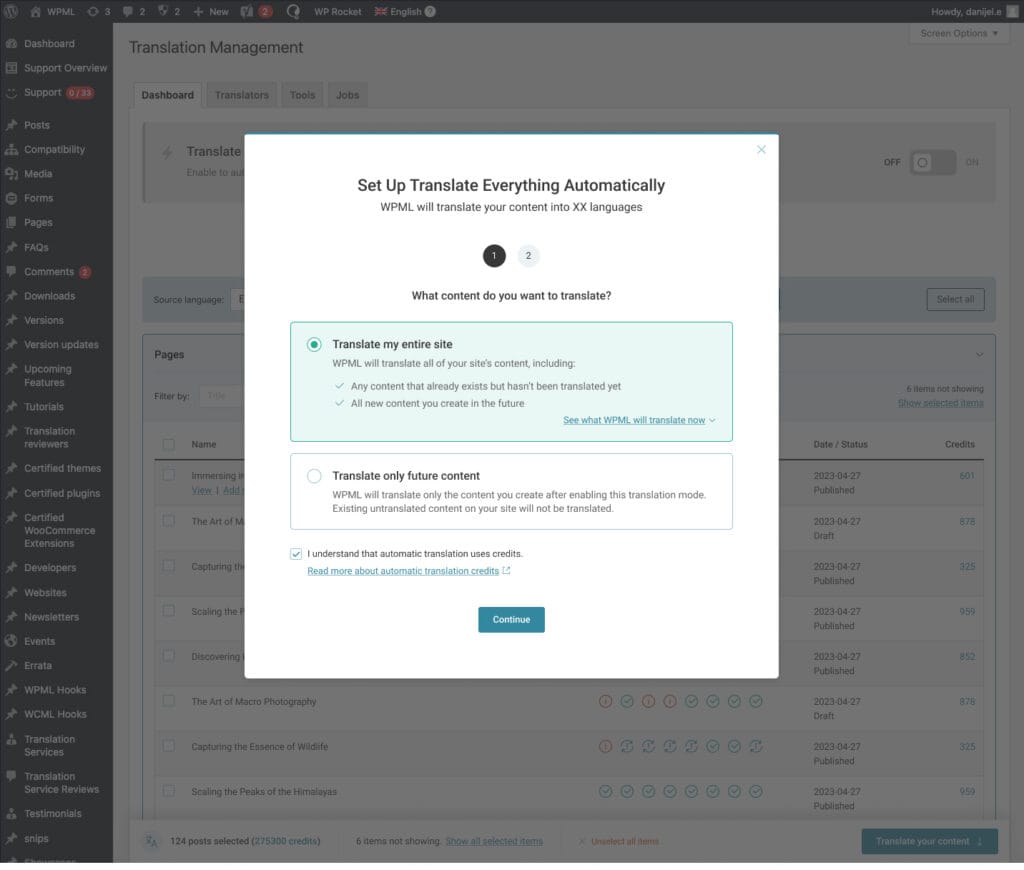
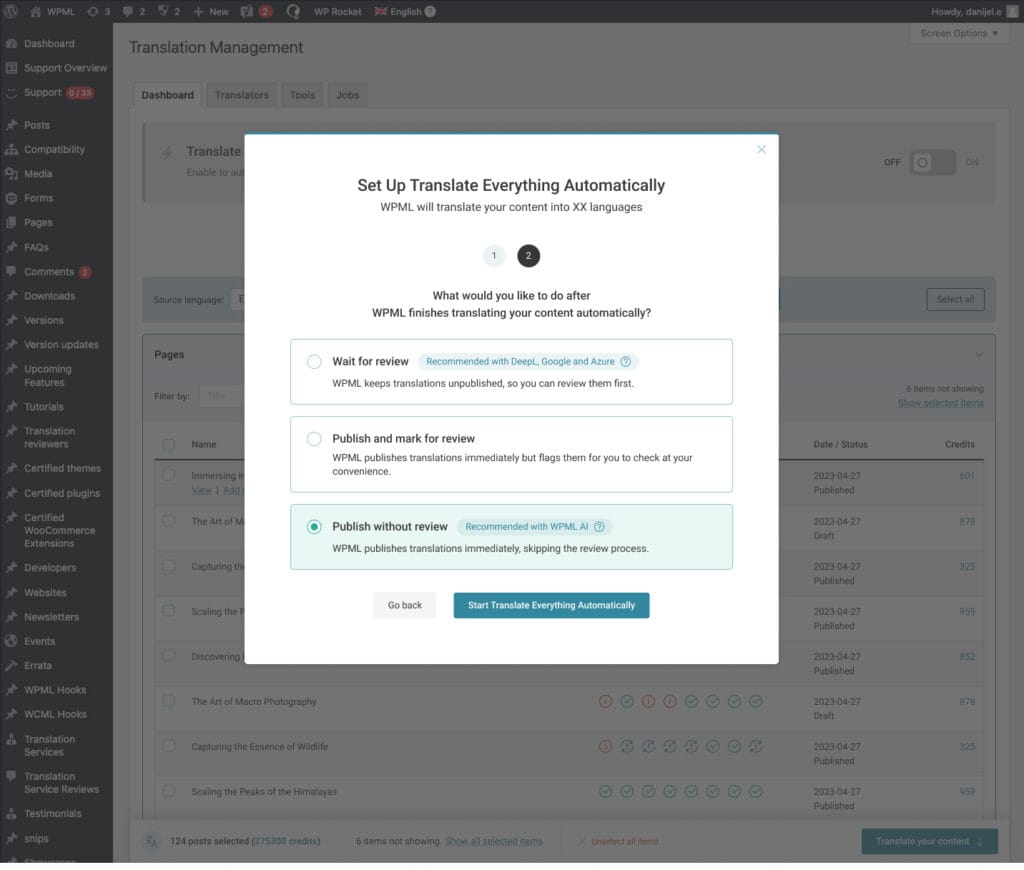
“Translate Everything Automatically” became a controlled system, not just a toggle.
Users define:
- When translations should be published
- Whether review is required
- Which engines are used and in what priority
Automation becomes predictable, not risky.
Transparent cost model
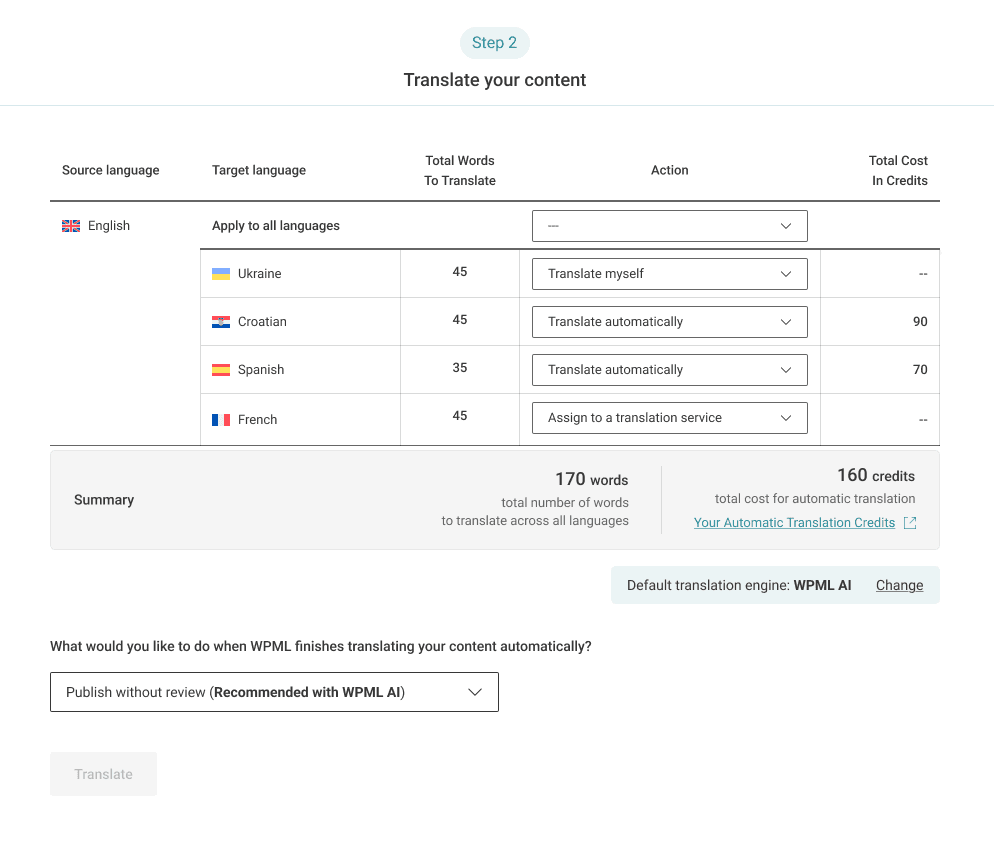
One of the biggest improvements was making pricing understandable:
- Clear breakdown of words, languages, and total cost
- Upfront deposit explanation
- Realistic estimate vs final billing
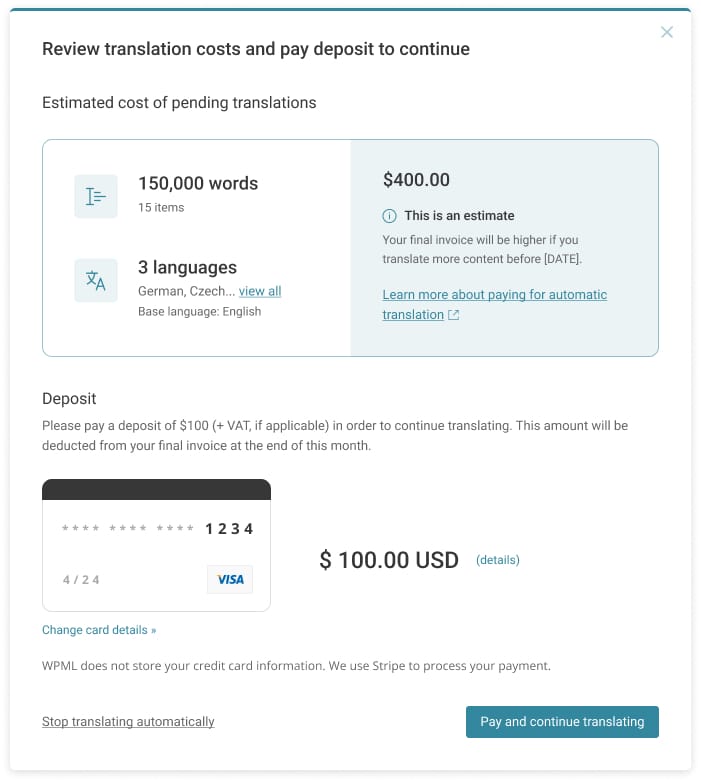
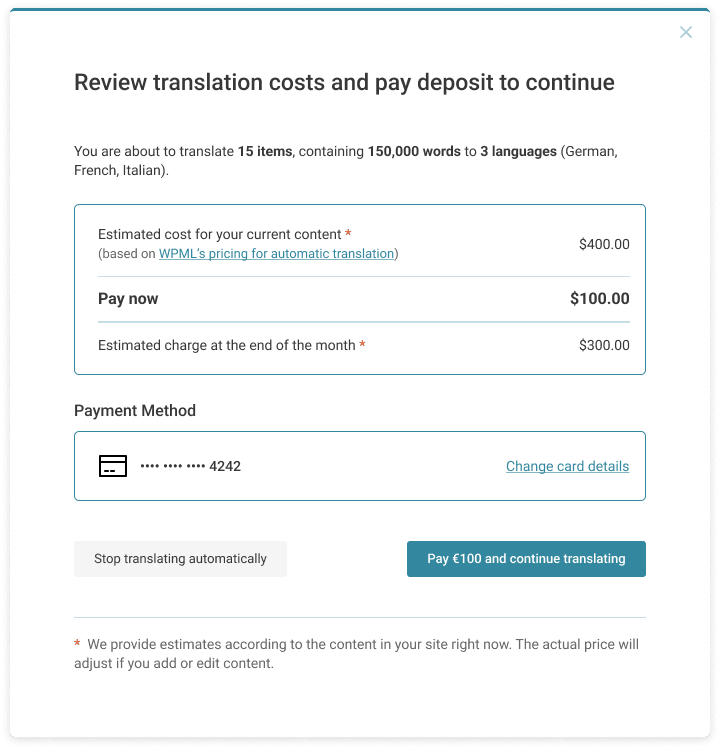
This removes hesitation and builds trust before users commit.
Consistent system design
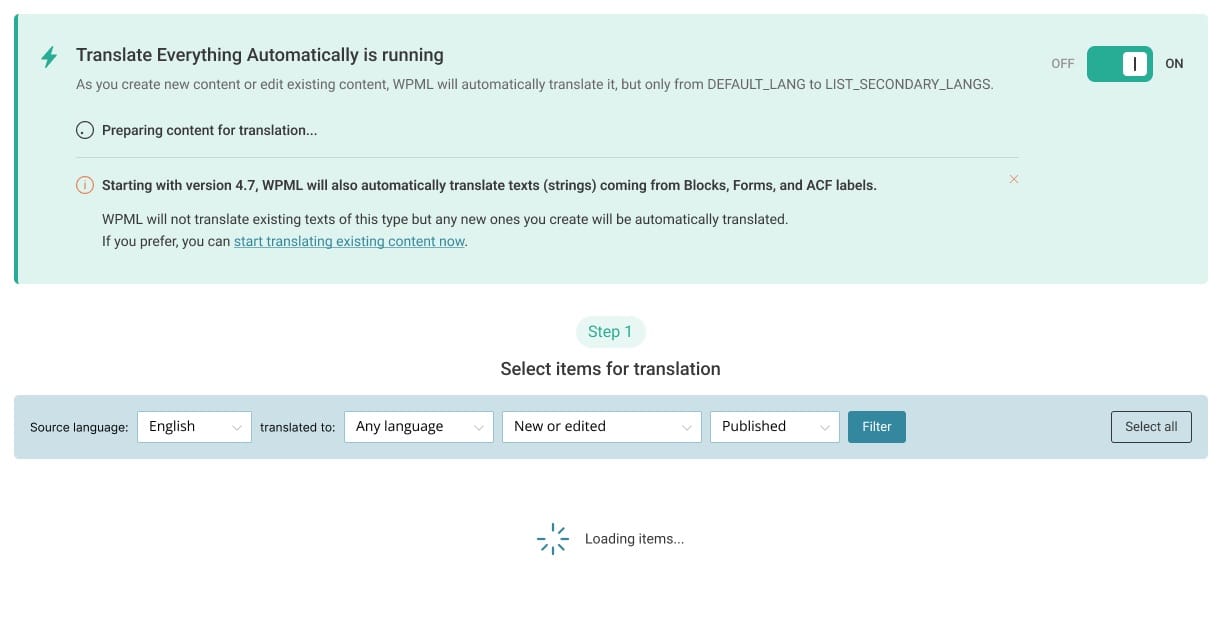
The UI was redesigned with consistency in mind:
- Unified card-based layout
- Clear hierarchy between actions and data
- Reusable patterns for filters, tables, and status indicators
The result is a calmer, more readable interface, even at scale.
Outcome
The redesigned Translation Dashboard transforms a complex system into a structured workflow.
Users can now:
- Understand what will be translated and why
- Control automation with confidence
- Make informed decisions about cost and scale
- Manage large multilingual sites without friction
Most importantly, the experience shifts from tool-driven to decision-driven, which aligns much better with how users actually work.
Key UX Decisions
1. Turn actions into a single flow
Bring selection, configuration, and execution into one continuous experience.
2. Make automation predictable
Give users control over when and how translations happen.
3. Surface cost before commitment
Remove uncertainty by showing clear estimates upfront.
4. Design for scale from the start
Ensure the interface works just as well for 10 items as for 10,000.
5. Reduce cognitive load with structure
Group related decisions and show only what matters at each step.
Reflection
This project was less about screens and more about systems.
Designing for WPML meant balancing:
- Power and simplicity
- Automation and control
- Flexibility and clarity
The final result is a foundation that not only improves usability today, but also supports future expansion of translation features.