Overview
WPML serves a large global user base with varying technical knowledge. A significant portion of support requests were repetitive, often caused by known issues, misconfigurations, or environment problems.
The goal of this project was to design a guided support experience that helps users resolve issues independently before contacting support by using structured flows and AI-assisted classification.
The Problem
The existing support flow had a few critical issues:
- Users went directly to support without attempting basic troubleshooting
- Support teams handled a high volume of repetitive requests
- Many issues could be resolved faster with guided steps
- Lack of structured input made debugging slower and required back-and-forth communication
This resulted in longer resolution times, higher support costs, and frustration on both sides.
The Goal
- Reduce unnecessary support tickets
- Help users resolve issues on their own
- Improve quality of incoming support requests
- Shorten time-to-resolution
- Introduce AI to classify issues early in the flow
My Role
- UX & UI design
- Flow definition and logic structuring
- Collaboration with developers on implementation feasibility
- Bridging product, support, and engineering needs
The Solution
1. Guided Support Wizard
Instead of a single contact form, users go through a step-by-step wizard that adapts based on their issue.
- Structured flow replaces open-ended input
- Each step reduces uncertainty and guides decision-making
- Users understand what’s happening and why
2. AI-Based Issue Classification
At the start of the process, user input is analyzed to determine:
- Is this a bug
- A configuration issue
- Or a general question
Based on this, the system dynamically routes users into the most relevant path:
- Debugging steps
- Known issues
- Documentation suggestions
This prevents users from going down irrelevant paths.
3. Compatibility & Environment Checks
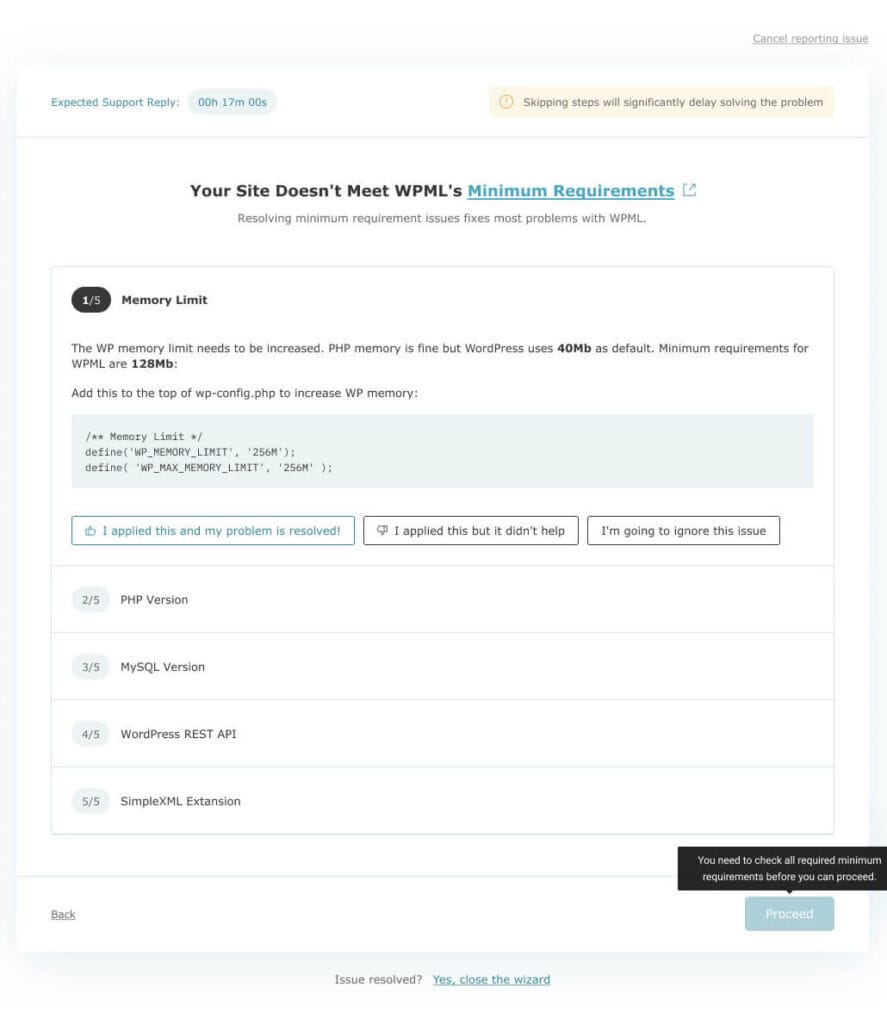
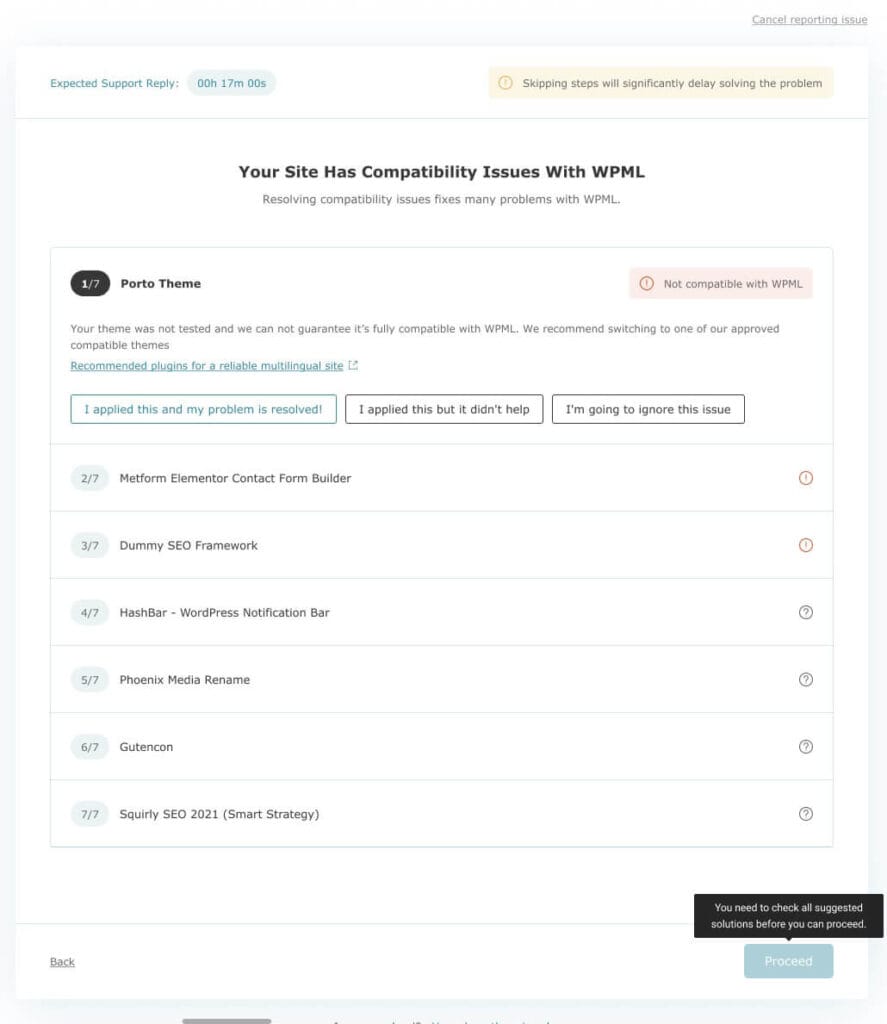
The wizard surfaces common technical issues early:
- Plugin/theme compatibility
- Minimum requirements (PHP, memory, etc.)
- Outdated versions
Instead of just listing problems, each item includes:
- Clear explanation
- Suggested action
- Simple decision buttons
Example pattern used throughout:
- “I applied this and my problem is resolved”
- “I applied this but it didn’t help”
- “I’m going to ignore this issue”
This creates a feedback-driven flow, not a static checklist.
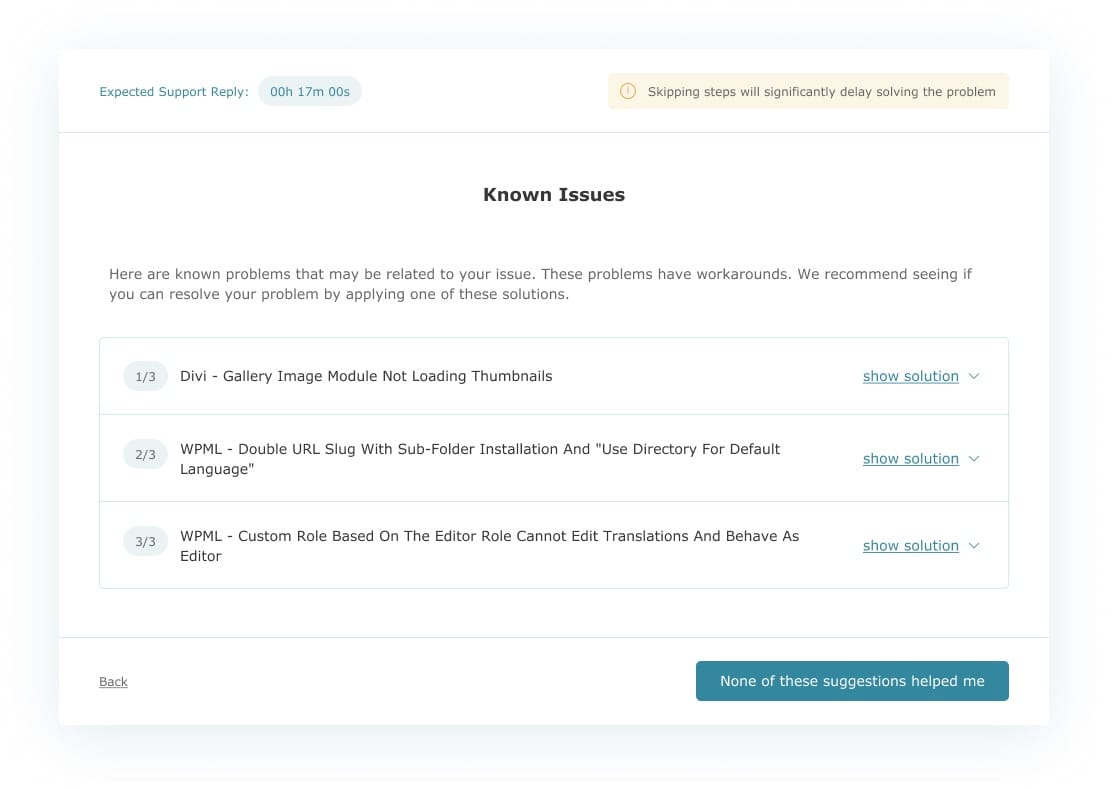
4. Known Issues & Solutions
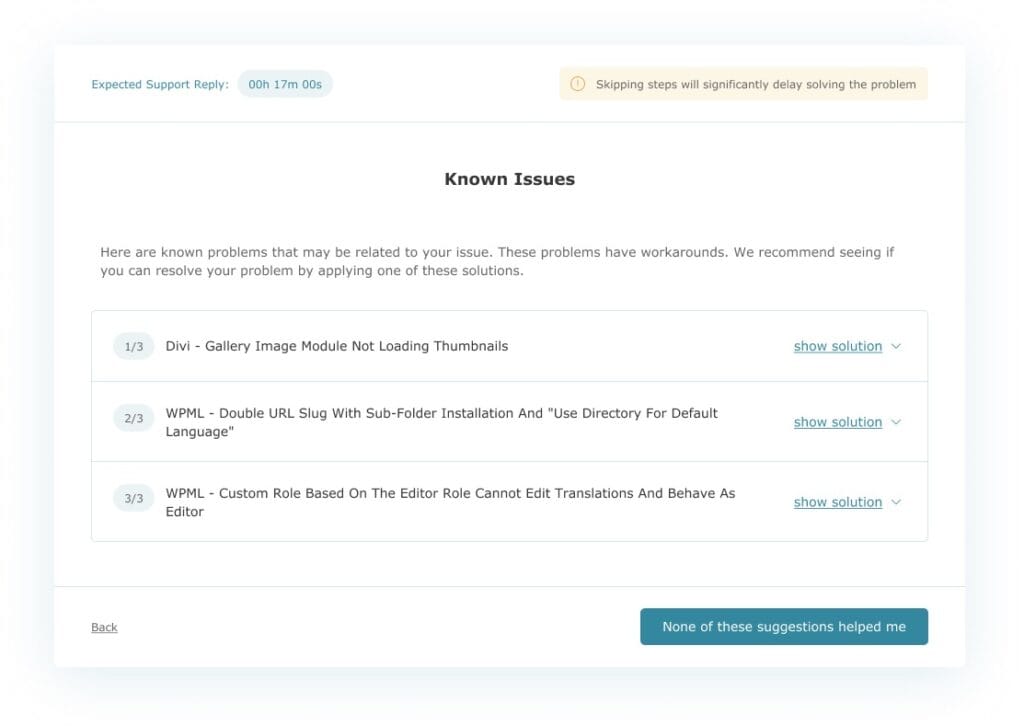
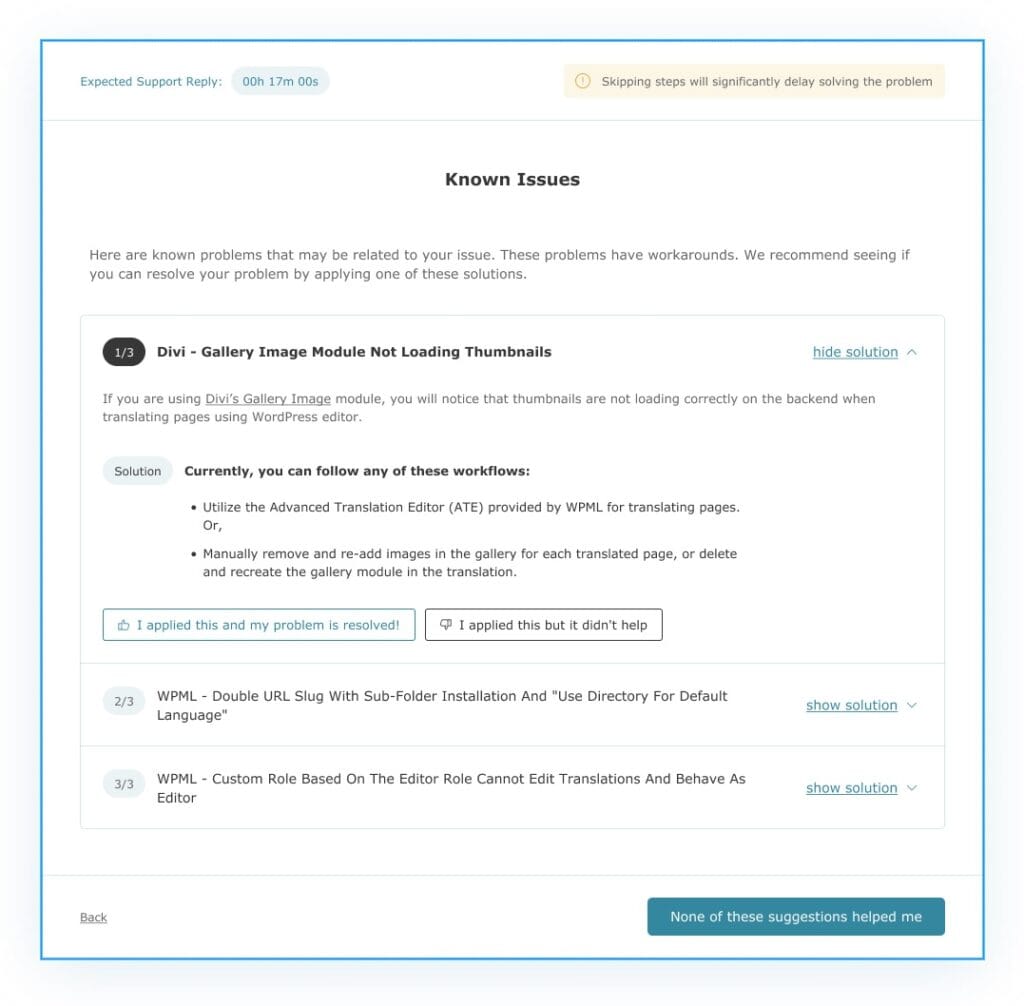
Users are presented with relevant known issues based on their setup.
- Expandable solutions with clear instructions
- Option to mark resolution success
- Ability to continue if nothing helped
This reduces dependency on support agents for well-documented problems.
5. Progressive Disclosure & Control
The system balances guidance with flexibility:
- Users are encouraged to follow steps
- But can skip when necessary
- Clear warnings explain consequences of skipping
Example:
- Skipping debug info shows impact on support time
- Modal explains benefits (“reduces wait time by 5 hours”)
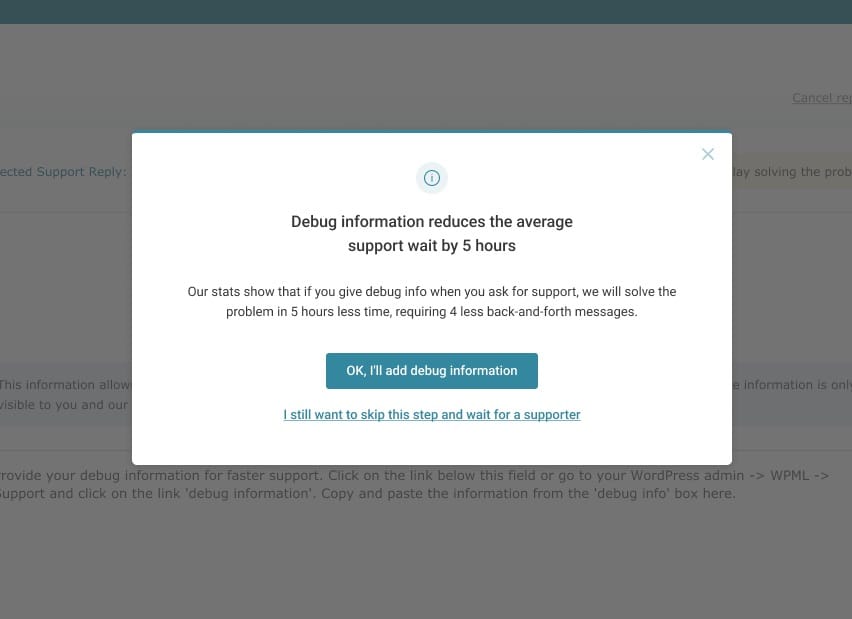
This builds trust instead of forcing behavior.
6. Debug Information Collection
Before contacting support, users are guided to provide structured debug data.
- Clear explanation of why it matters
- Reassurance about privacy
- Direct link to retrieve data
Result:
- Better quality tickets
- Faster resolution
- Fewer back-and-forth messages
7. Clear Resolution Exit Points
At multiple steps, users can:
- Confirm issue is resolved → exit flow
- Continue troubleshooting
- Escalate to support
This avoids forcing users through unnecessary steps once their issue is solved.
Key UX Decisions
1. Replace “form thinking” with “flow thinking”
Instead of asking users to describe problems, guide them through solving them.
2. Turn troubleshooting into a feedback loop
Each step requires user confirmation, making the system adaptive.
3. Reduce cognitive load with progressive steps
Users only see what’s relevant at each stage.
4. Encourage, don’t block
Users can skip, but understand the cost of doing so.
5. Combine automation with human fallback
AI helps first, but support is always available when needed.